Adding a user
#1. Login in our terminal server
Use Use one of the following browsers: Safari, Firefox, Google Chrome or Microsoft Edge
The first login may take 1 - 2 minutes
The terminalservers URL is:
https://idmgmt.neurologie.uni-tuebingen.de/
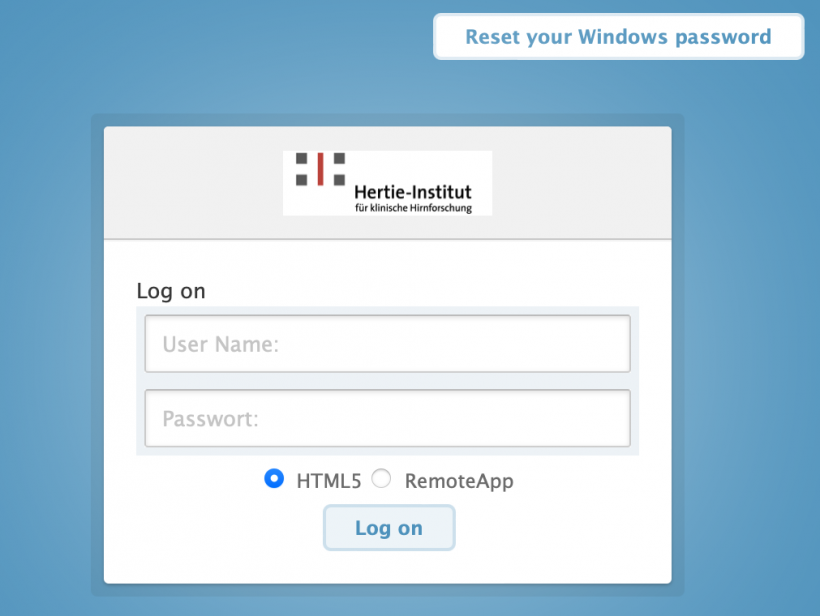
First field: your userID
Second field: your password
Do not change the other fields
#2. Start Active Directory Admin Tool
#The path for a user in Active Directory is:
/neurologie.uni-tuebingen.de/Departments/<Department>/<Workinggroup>
Independent Research Groups belong to the "Department" "Research_Groups".
#3. Navigate to your research group
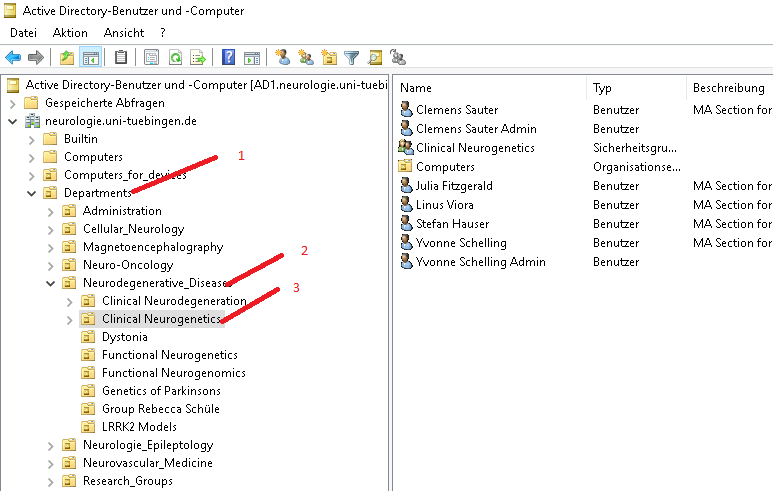
#3. Copy a user of the group
To create a new user you always have to copy an existing one. (Except group leader)
Common settings are copied correctly.
Individual settings must be then entered manually.
#Copy a standard user of the working group
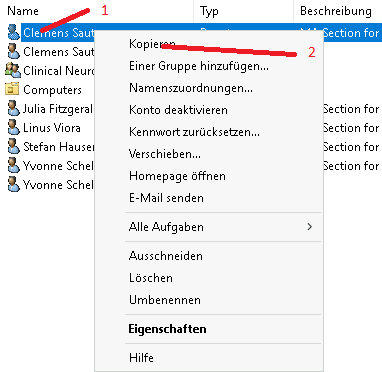
- Click a user with the right mouse button. Preferably use the template user "0-vorlage...".
- Select copy
#4. Fill in the personal data
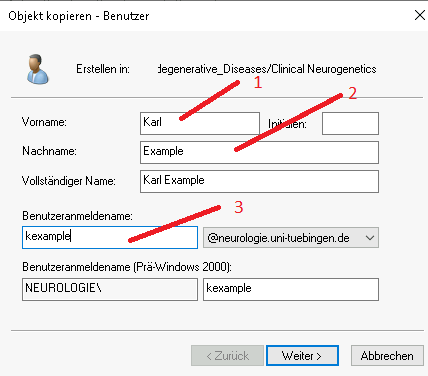
- First name without academic title.
- Surname
- UserID in our system. (This is the first letter of the first name and the last name).
All other fields are filled automatically
#5. Fill in a password
Should contain at minimum: 1 number, 1 special character, 1 uppercase letter, 1 lowercase letter. Minimum length: 8.
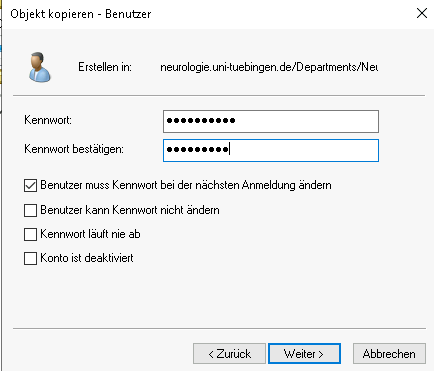
#Create the user with "Fertig stellen"
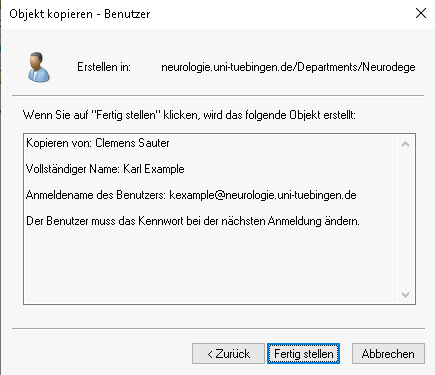
#Now the user is created. The personal data must be entered.
#6. Add the individual data of the user
Click on the newly created user with the right mouse button
Select "Eigenschaften"
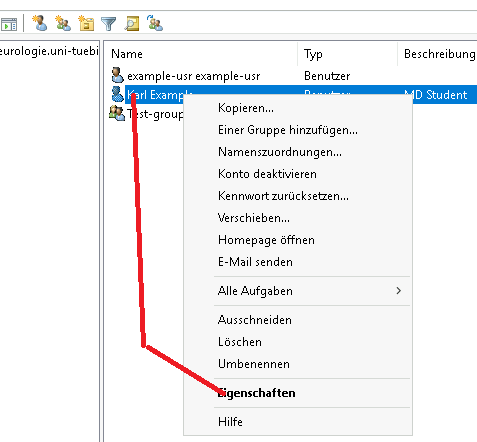
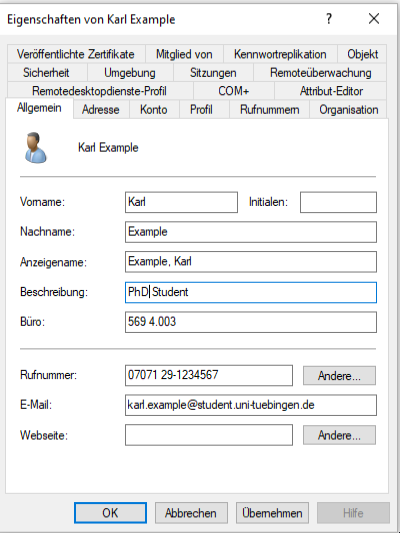
Thiese fields are displayed on the web page.
- Description of the employee must be one of the following:
- Bachelor Student
- Master Student
- Medical Student
- Medical Doctor
- Nurse
- Postdoc
- PhD Student
- Physician
- Research Group Leader
- Secretary
- Scientific Coordinator
- Administrative Coordinator
- Technical Assistant
- Lab management
- Room number in the form: Building number, Room, official room number
Examples:- Bldg. 569 Room 4.002
- Bldg. 568 Room 3.021a
- Phone number (in this form: +49 (0)7071-29-87654)
- E-Mail-Address (preferably one ending with "uni-tuebingen.de")
- Webseite: Leave empty or enter "no", if the user shall not appear on the HIH website.
In addition he will not be added to the general HIH mailinglist.
#7. In tab "Profil" check this!
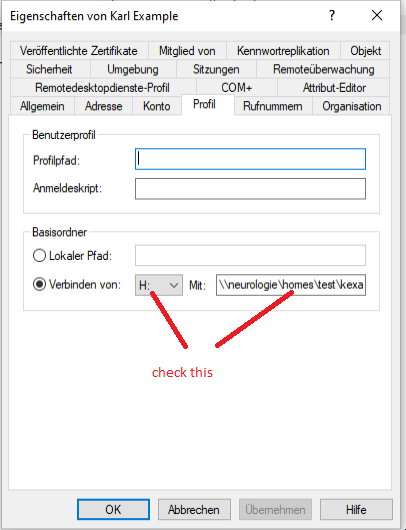
The path must be:
\\neurologie\homes\<department>\userID
Example: \\\neurologie\homes\Neurodegenerative_Diseases\exampleusr
Department and userID must be the exact spelling of the department and user in the Active Directory.
This should be automatically filled in correctly.
#8. Fill in the "Organisation" data
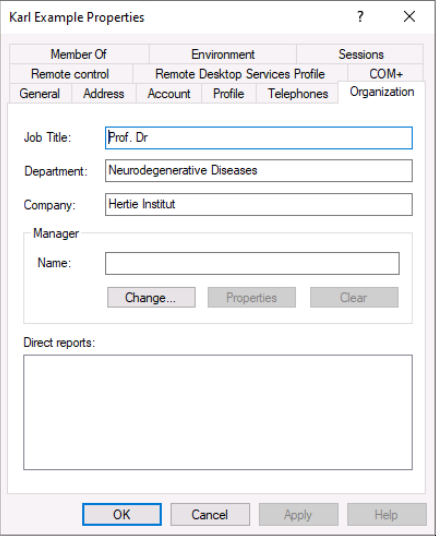
Job Title: Use this field for the academic title (Dr., Prof. Dr.)
Department: use this field for the name of the HIH department. This field is displayed on the web page. It must be the same as in the english version fo the HIH organization chart.
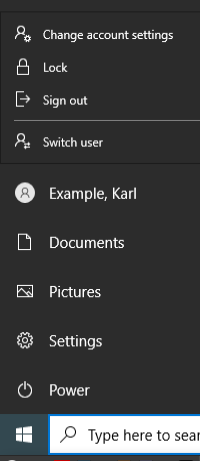
#9. Do not forget to log out