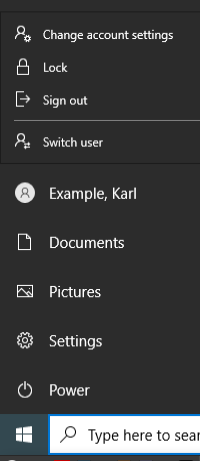
Change users data
#1. Login in our terminal server
Use Use one of the following browsers: Safari, Firefox, Google Chrome or Microsoft Edge
The first login may take 1 - 2 minutes
The terminalservers URL is:
https://idmgmt.neurologie.uni-tuebingen.de/
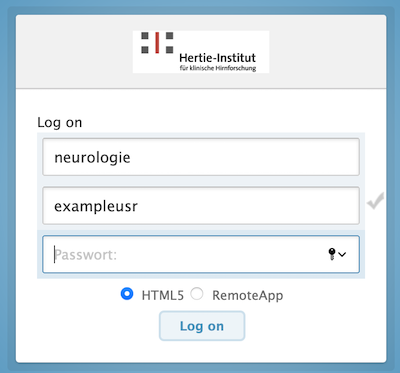
First field: your userID
Second field: your password
Do not change the other fields
#2. Start Active Directory Admin Tool
#The path for a user in Active Directory is:
/neurologie.uni-tuebingen.de/Departments/<Department>/<Workinggroup>
All independent Research Groups belong to the "Department" "Research_Groups".
#3. Navigate to your research group
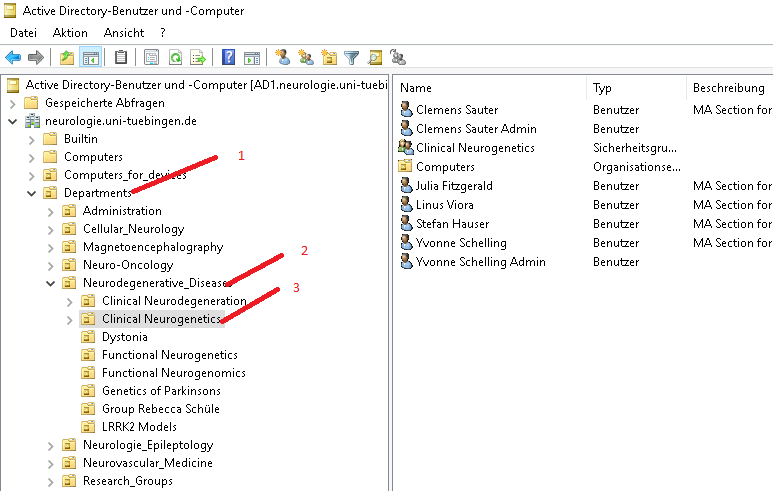
#4. Click with the right mouse button the user
Select Properties
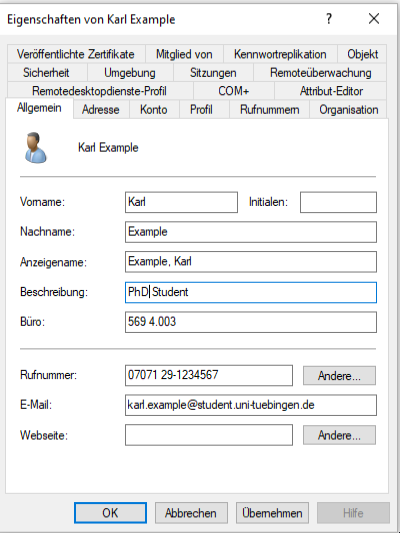
This fields are displayed on the web page.
- Description of the employee must be one of the following:
- Bachelor Student
- Master Student
- Medical Student
- Nurse
- Postdoc
- PhD Student
- Physician
- Research Group Leader
- Secretary
- Scientific Coordinator
- Administrative Coordinator
- Technical Assistant
- Room number in the form: Building number, Room, official room number
Examples:- 569 Room 4.002
- 568 Room 3.021a
- Phone number
- E-Mail-Address (preferably one ending with "uni-tuebingen.de")
- Webseite: Leave empty or enter "no", if the user shall not appear on the HIH website.
In addition he will not be added to the general HIH mailinglist.
#5. Fill in the "Organisation" data
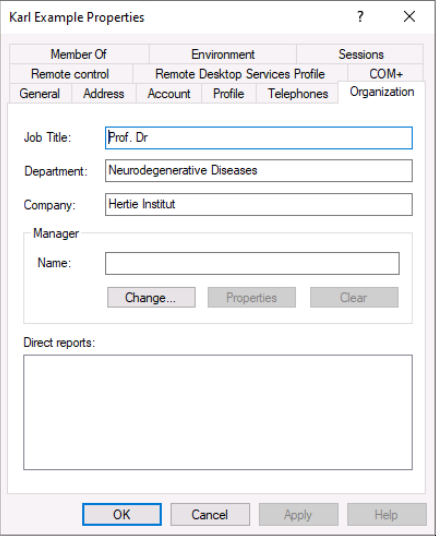
Job Title: Use this field for the academic title (Dr., Prof. Dr.)
Department: Use this field for the name of the HIH department.
This field is displayed on the web page. It must be the same as in the english version fom the HIH organization chart.
#6. Do not forget to log out