Backup other folders old Version
#Example: Integrating Documents into the Backup (homes-Share)
- Create a folder named "Documents" in H:
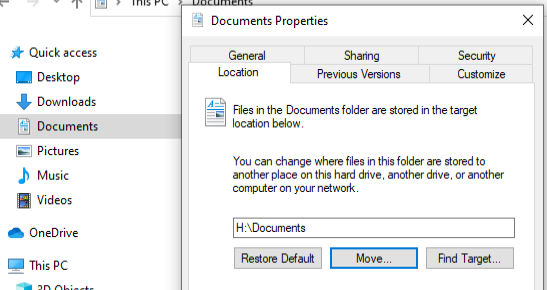
- Click on your original "Documents" folder with the right mouse button
Select tab "Location" - Click "Move". Navigate and select the H:\Documents folder you have created in step 1.
Documentes and H:\Documents are now identical (and your "Quick access"\Documents and "This PC"\Documents are integrated into the backup.