Backup your Laptop
You can simply copy your files to the H: drive manually. There they get backup every working day.
This process can be automated. We recommend the Urbackup program for laptops.
#Get Urbackup
Send a mail to hih-it@uni-tuebingen.de. You will receive a personal installation file. This is secured with a personal key and can only be used by you. Install this file according to the instructions below and configure the folders that should be included in the backup.
#Install the file
Klick "Urbackup client (userid)", right mouse button, "Run as administrator".
When the message: "The computer has been protected by Windows" click "More information".
Click "Run anyway".
Install the program.
#Configuration
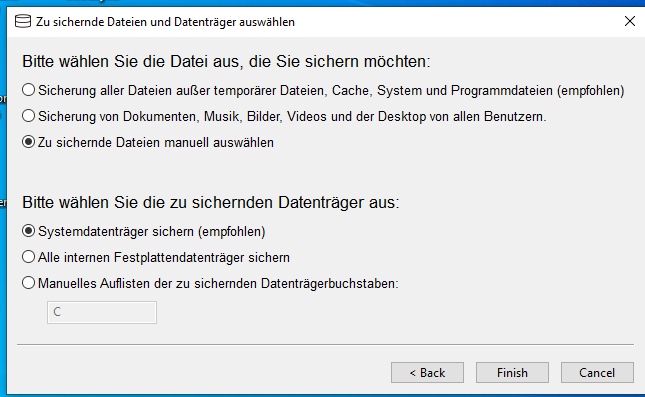
Select: "Zu sichernde Daten Manuell auswählen"
#Configure backup paths
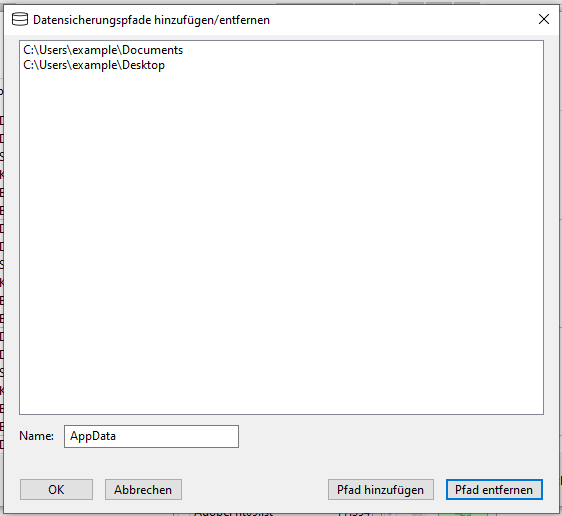
Select the paths to be saved. We recommend to take folder in:
c:\Users\your-LoginID\Folder-to-backup