Change your password
For security reasons, the server is only accessible from an IP address of the University of Tübingen.
For external access use VPN.
Use one of the following browsers: Safari, Firefox, Google Chrome or Microsoft Edge
#Navigate to: https://idmgmt.neurologie.uni-tuebingen.de
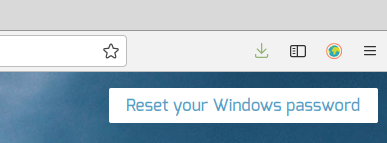
Find the following button on the top right corner of the browser window.
Do not try to log in to this system!
#A password has to fulfill the following:
- Must be at least eight letters long.
- Must contain an uppercase letter.
- Must contain a lower case letter.
- Must contain a number.
- Must contain a special character.
- Parts of the name or the UserId are not allowed to be included.
#Klick “Reset your Windows password“
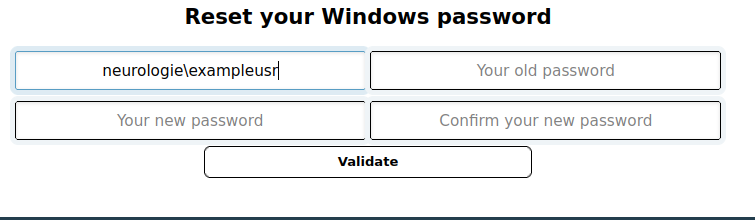
- In the first field insert: neurologie\ followed by your userID
(Apple User: You get the Backslash via Alt-Shift-7)
Example:
neurologie\exampleusr - enter old password
- enter new password
- repeat the new password
- press „Validate“