Use a printer
- From any computer you can use any printer in the Windows domain.
- You must configure the printer for yourself on each computer.
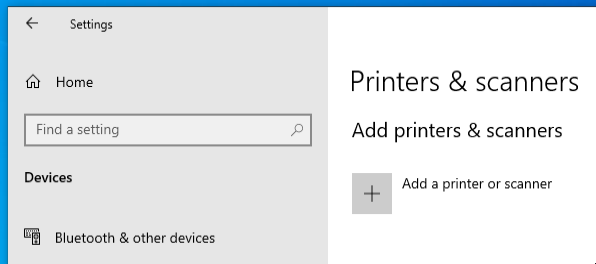
#1. Open the configuration window
Klick: /Start/Settings/Devices/Printers & Scanners/+ Add a printer or scanner
#2. Select the right printer
You will get a list of all available printers.
#Install only printers that are ending with "AD1".
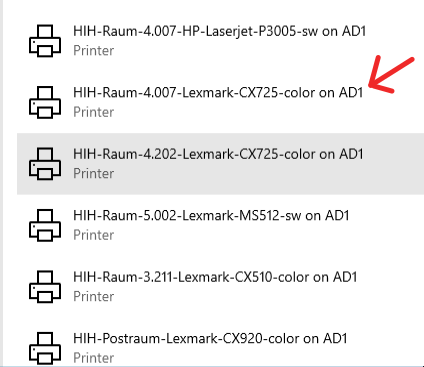
Printers have the following naming scheme:
Building-Room Number-Printer type-Color / Black/White on AD1
#3. Configure your printer
Individual settings must be made manually after installation (using printers menu).