Take your data with you (for laptops)
With "offline folder" you can create a mirror of your server data on a laptop. This synchronizes with your server data whenever you are on the network.
#Understanding offline folder
This tool creates a copy of your home directory on your local computer. In configurable time intervals the local directory is synced with the directory on the server. The real backup is done on the server.
Local folders can be configured to point to your home drive H:. With such a configuration, you can use Windows with the usual default folders.
#1. Configure your home drive H: as offline folder
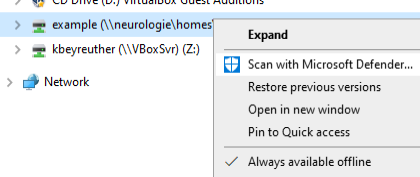
Click on your H: drive with the right mouse button
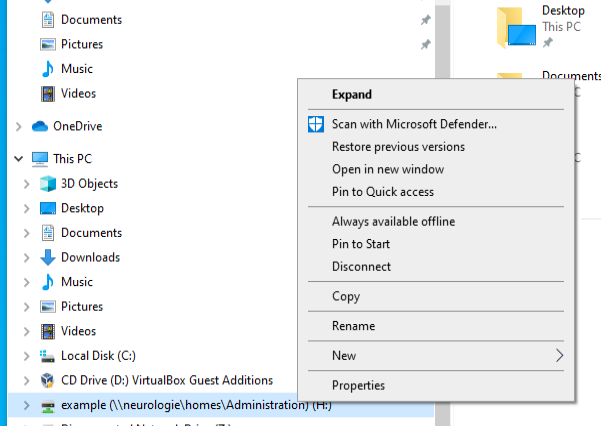
Select "Always available offline"
#2. Configure the syncronization
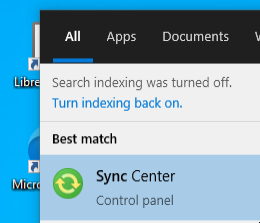
Search the app Sync Center (Synchronisierungscenter)
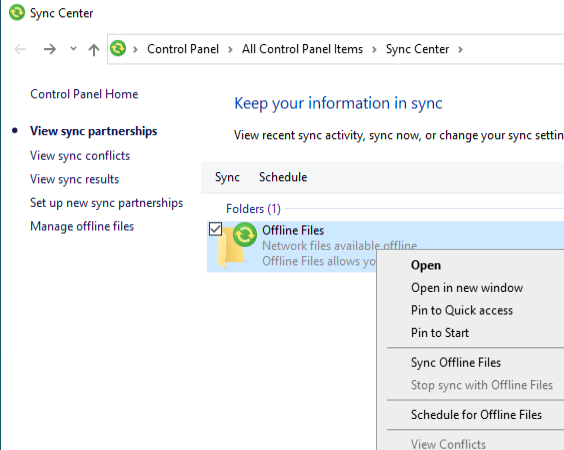
Click with the right mouse button on "Offline Files" and select "Schedule for Offline Files"
Click "Next"
Click "At a scheduled time"
Config 3 hours
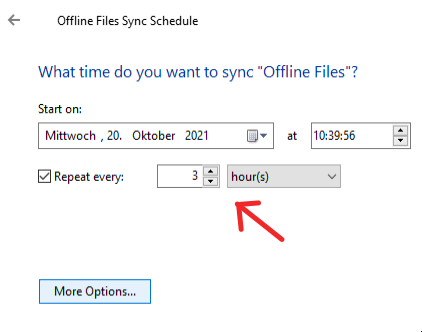
Klick "Save schedule"
This is the configuration recommended by the HIH IT team.
Other configurations are also possible on your own risk.
#3. Check your backup is working
Please check from time to time if your synchronization is still active:
Click with the right mouse button on your H: drive.
"Always available offline" must be selected