Morgenstern Support for Lexmark Leasing Printers
#Order a technician (problems with the printer)
Read off the ID no. of the printer!
By phone: 07121-910333
E-mail: bestellung@morgenstern.de
Internet: http://www.morgenstern.de
- menu item "Service"
- "Service Hardware"
- "Request MORGENSTERN AG service technician".
Then fill in the form ("internal IT") and send it off.
#Order Toner
http://www.morgenstern.de/verbrauchsmaterial/morgenstern/toner-bestellen.html
#Order a new printer
If your department printer has reached the end of its leasing contract the procedure for obtaining a successor device is as follows:
When returning a printer / multifunction device and ordering a replacement device, create a printer request in the same way as the previous order process with the desired device. For the order form see GBIT HardwareShop: http://www.medizin.uni-tuebingen.de/hardwareshop
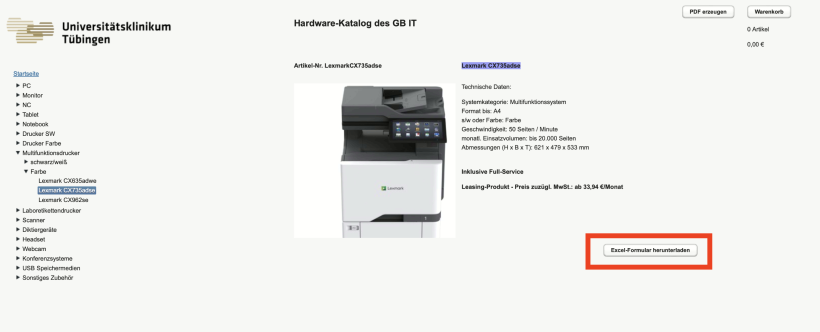
The Morgenstern ID number of the device to be returned must be entered in the “previous MORGENSTERN ID” field. This makes it clear to Morgenstern that the device in question is to be replaced.
Various device settings (IP and fax settings) can be transferred to the new device in advance by Morgenstern if these are marked and specified on the printer request!
#Return a printer
If a printer / multifunctional device is returned without ordering a replacement device, Morgenstern must be requested by email (ukt@morgenstern.de and drucker.mfg@med.uni-tuebingen.de) with the necessary device data (device type, designation, Morgenstern ID no., UKT equipment number and location) for collection. The device will then be notified for collection and billed.